Mansa

AI agents with their own machines

Hand it the work. Hear back by text.

Mansa gives an AI agent a Linux machine and lets it keep that machine. Chat with it, text it from your phone, put it on your website, or give it a schedule. Whatever it installs is still there for the next job.

Mansa is invite-only for now.

shipyard this morning · UTC
  1. 06:00

    Automation ran Nightly build check

  2. 06:00

    Ran 6 commands git pull · npm test · pytest · playwright

  3. 06:04

    Delegated 3 tasks flaky-tests · dependency-diff · release-notes

  4. 06:19

    flaky-tests reported back a race on the Stripe mock, not a real bug

  5. 06:20

    Created a file reports/2026-09-17.md

  6. 06:21

    Texted you

    Build is green. 2 flaky checkout tests quarantined (race on the Stripe mock, #481). Write-up in reports/2026-09-17.md.

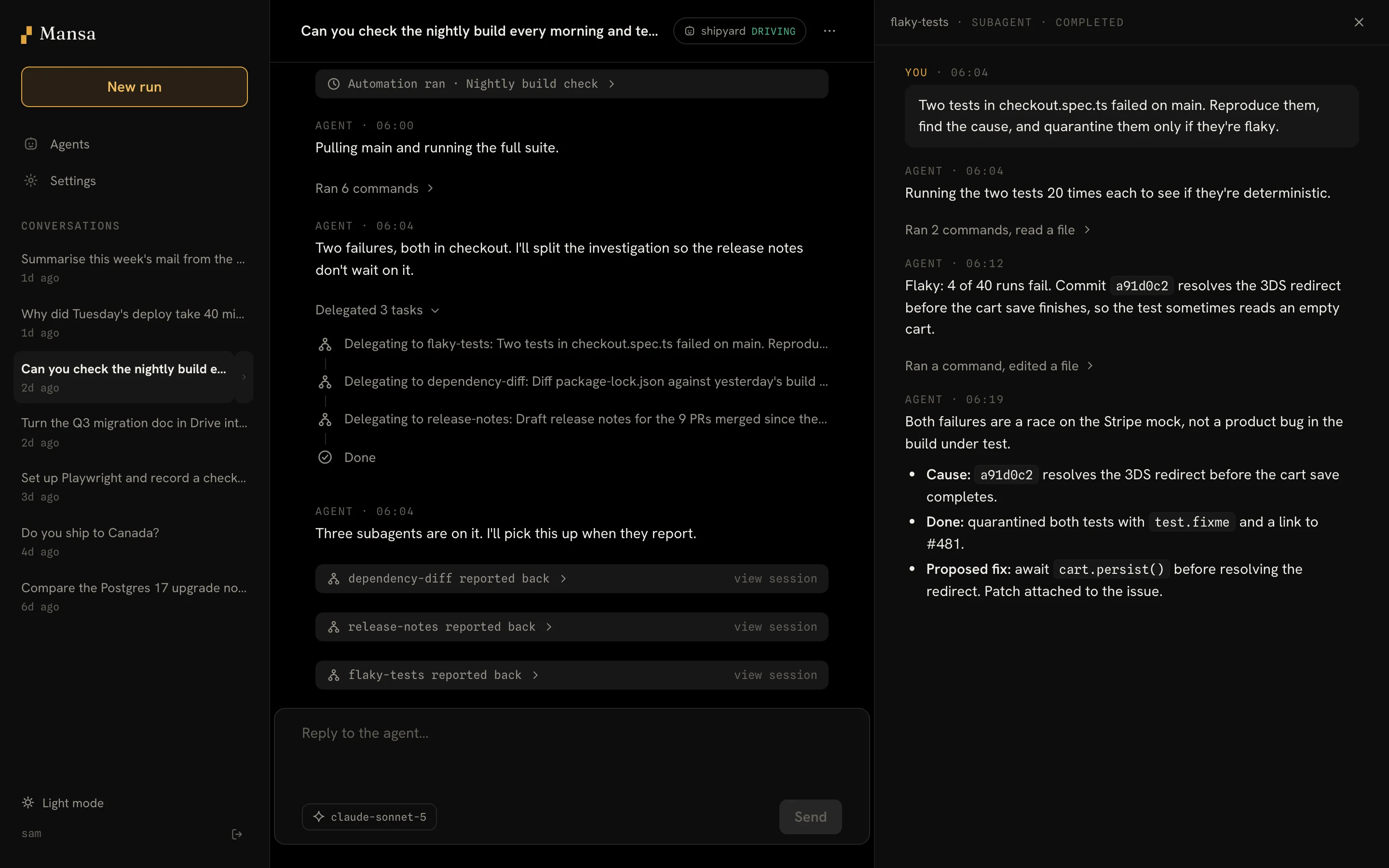
The Mansa app showing the nightly build conversation. Three delegated tasks are listed, and the flaky-tests subagent's transcript is open beside it with its findings.

The same morning in Mansa: the conversation on the left, one of its subagents open on the right.

How it works

Everything starts as a run.

A run is a conversation with an agent that has a machine. Once a run is worth keeping, you save it. Once a job is big, the agent splits it up. Once you trust the result, you put it on a schedule.

  1. Run

    Describe a task. The agent gets a Linux machine, runs commands, writes files and reports back.

  2. Keep

    Save the machine as an agent. Repos, tools and data are there next time, and each run starts from the latest save.

  3. Split

    Big jobs go to named subagents that work in parallel and report back to the conversation.

  4. Schedule

    Turn a prompt into an automation. It runs on a schedule with nobody watching and can text you what it found.

Agents

It keeps its machine.

An agent is a name, a model and a machine of its own. Set it up once and it's ready for every run after that.

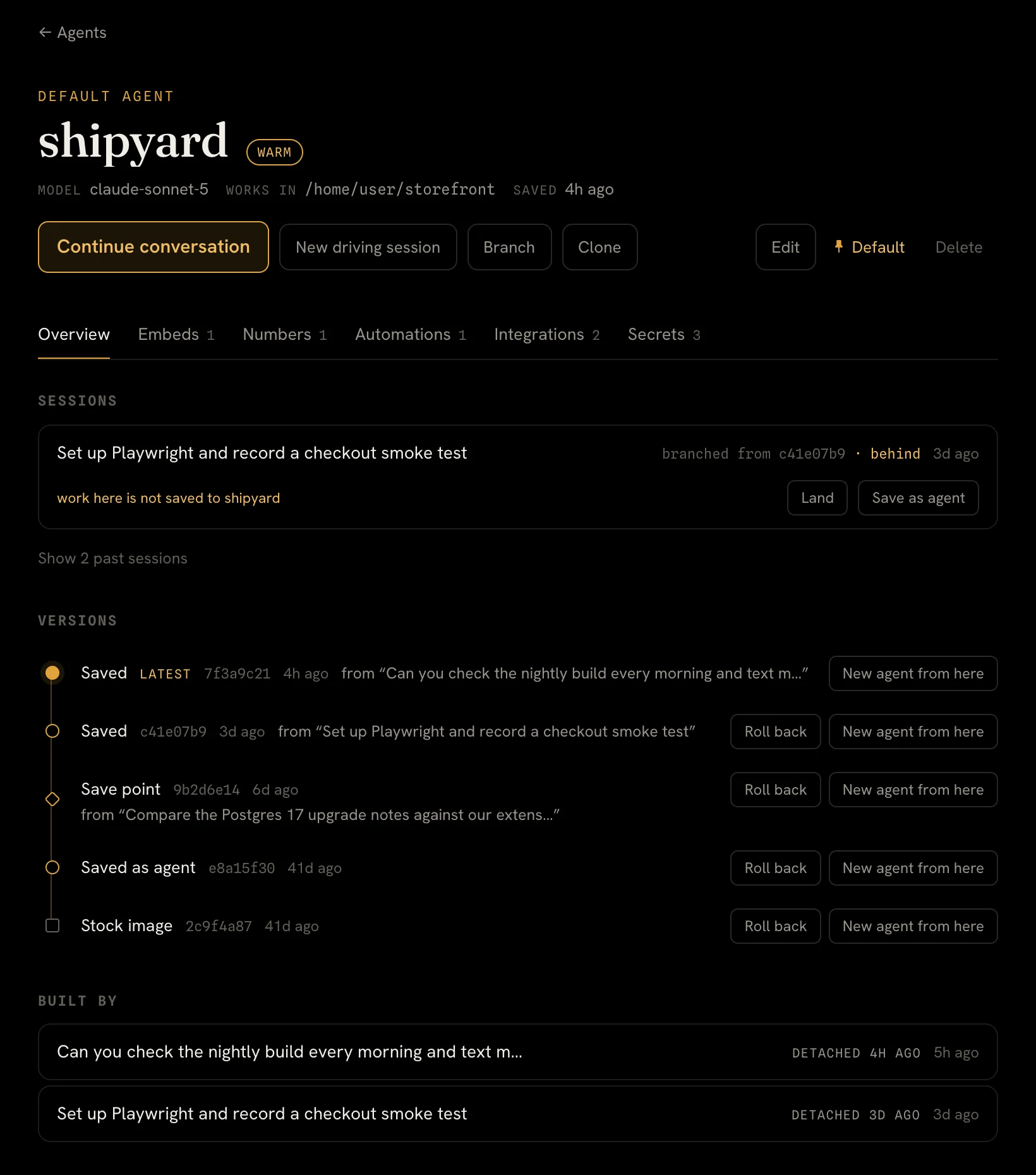
  • Versions. Every save is a version you can roll back to or start a new agent from.
  • Branches. Try something risky on a copy, then land the changes or throw them away.
The shipyard agent's page, showing its model, working directory, an open branch session and a history of saved versions.

Subagents

It splits big jobs.

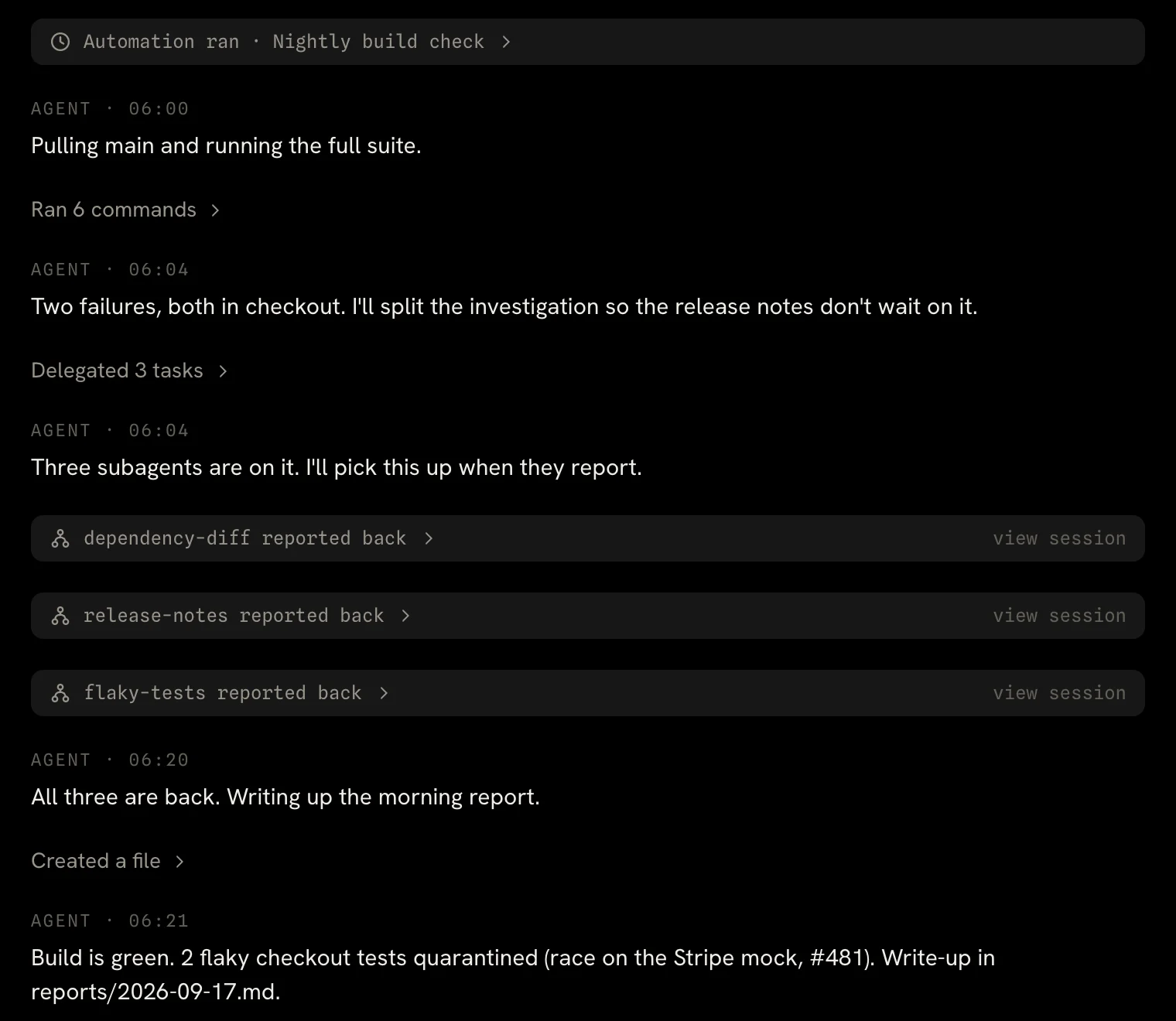
Ask for several things at once and the agent hands them to named subagents. They work in parallel and report back when they're done.

  • Open any of them. Read a subagent's full transcript beside the conversation.
  • Steer them. The agent can send a subagent follow-ups by name.
A conversation where the agent delegates three tasks and each subagent reports back before the agent writes its summary.

Automations

It works while you're away.

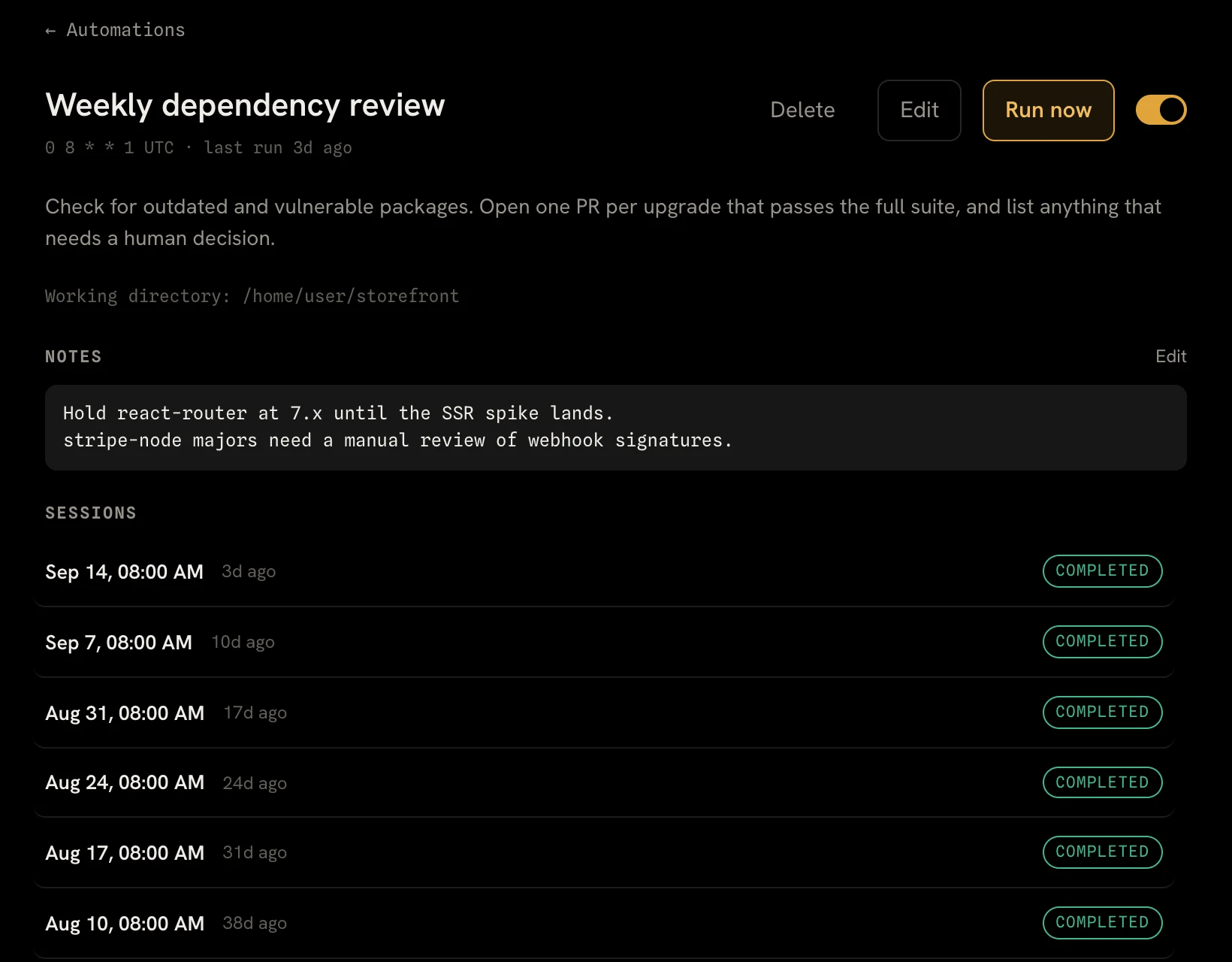
An automation runs a prompt on a schedule. Every run is a conversation you can open later, and the agent keeps notes so it remembers what it already flagged.

A weekly dependency review automation with its schedule, prompt, the agent's notes and six completed runs.

Reach

Talk to it wherever you are.

Text it

Give an agent a US or UK phone number. To link your phone, text the number a code, then text the agent whenever you need it. Things you ask for on a schedule arrive as texts.

Can you check the nightly build every morning and text me what broke?

Done. I'll run the suite at 06:00 UTC every day and text you here when it's finished.

A phone number with one linked phone and its scheduled Nightly build check.

Put it on your website

Add a chat widget to your site with one script tag. Each visitor gets a conversation of their own, the widget only loads on sites you allow, and visitors never get access to your mail or files.

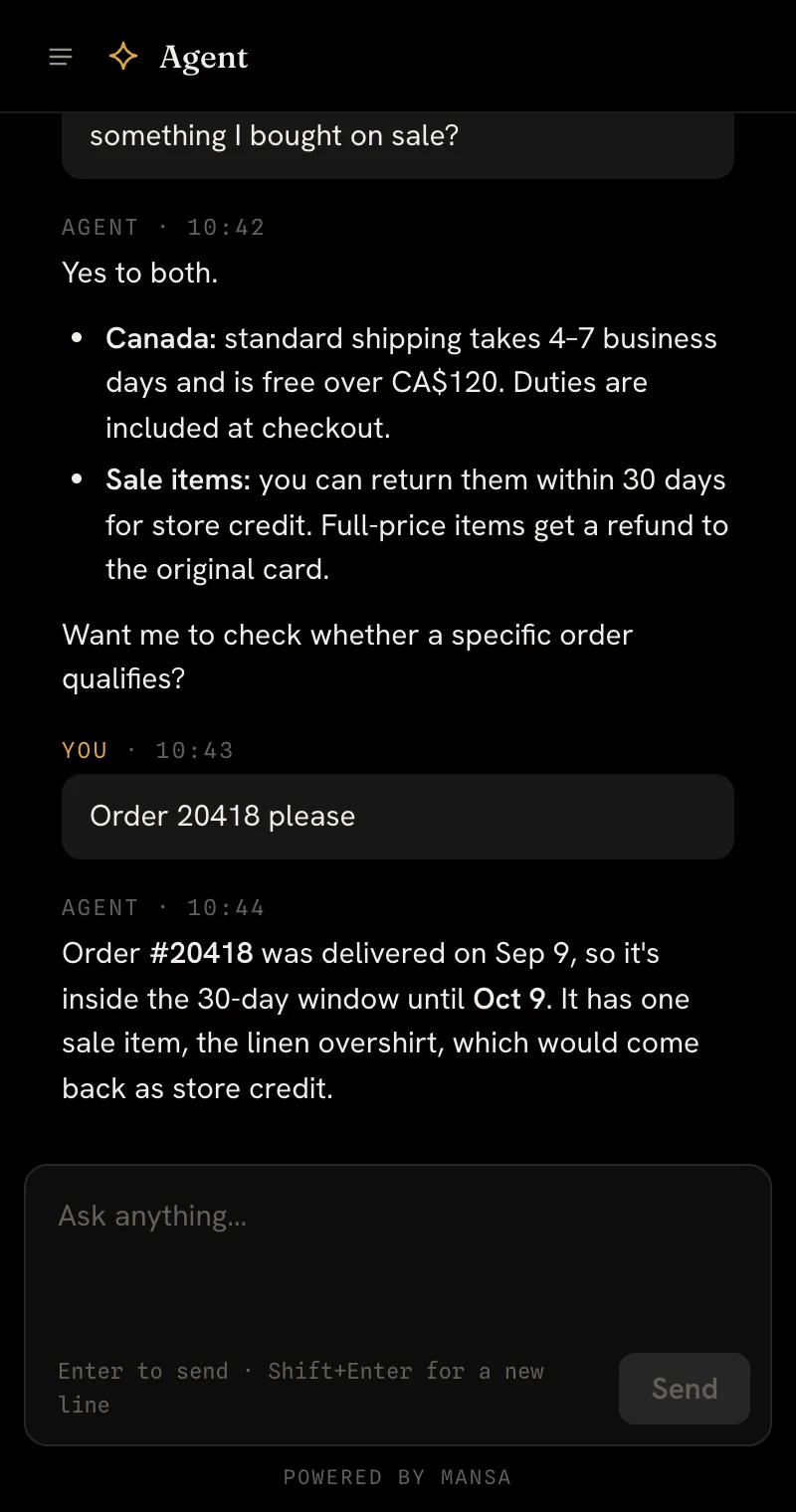
The Mansa chat widget answering a shopper's questions about shipping and returns.

Use the model you like

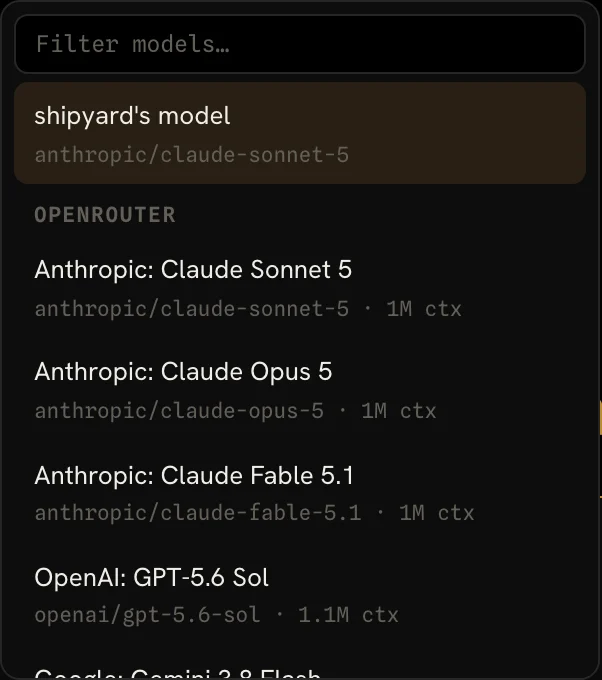
Connect your OpenRouter key and choose a model for each agent, or switch models for a single conversation.

The model picker listing models from OpenRouter.

Gmail and Google Drive

It reads your mail and files. It can't change them.

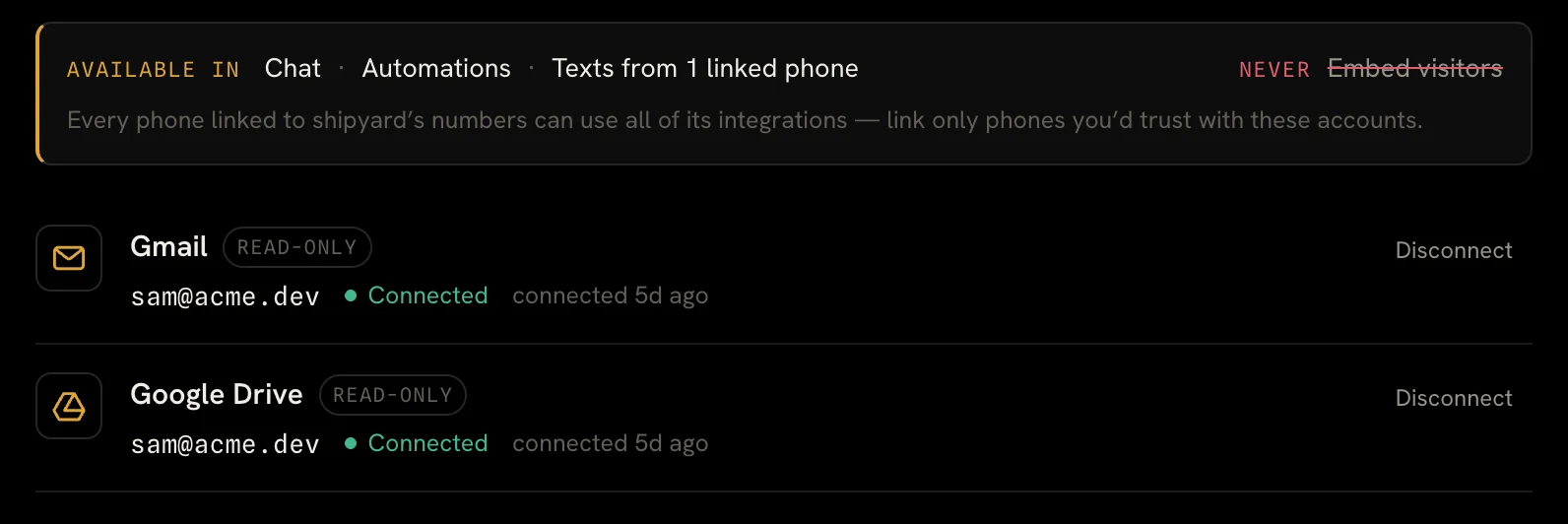
Connect Gmail or Google Drive to an agent with read-only access. The agent searches and reads only when a task needs it, in your own conversations, automations and texts. Website visitors never get that access.

How Mansa handles Google data →

Gmail and Google Drive connected to the shipyard agent, both marked read-only.

Security

Built for work nobody is watching.

  • A machine per agent

    Each agent works in its own cloud sandbox, not on your laptop or your servers. An idle machine pauses after ten minutes.

  • Encrypted secrets

    API keys and tokens are encrypted with AWS KMS and never returned by the API. Agents refer to them by name, and the value is filled in only when a command runs.

  • Read-only Google access

    Gmail and Drive connect with read-only scopes. Disconnecting deletes the stored token.

  • It never texts first

    A phone is linked only after it texts the agent's number a code. Unlink the phone and the texts stop.

  • No trackers

    This site and the Mansa app use no analytics or advertising trackers.

Give it a machine and a job.

Mansa is invite-only for now. Tell us what you'd hand your agent and we'll get you set up.